
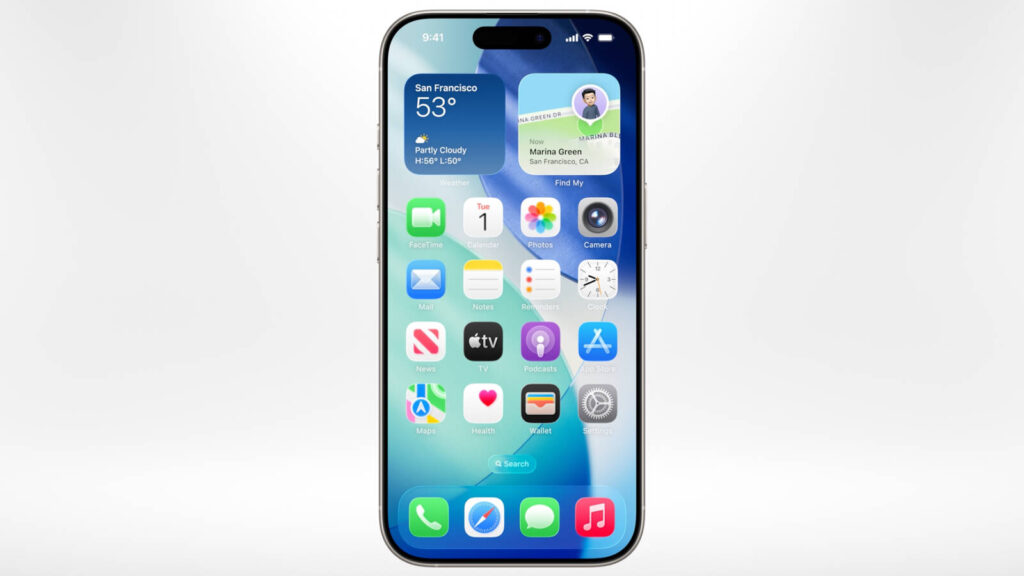

Updated August 29, 2026: iOS 26.2 features are now historical rather than upcoming. Apple released iOS 26.2 on December 12, 2025, and Apple’s current security-release list shows newer iOS 26 updates are available. This guide records what changed in 26.2, who could install it, and which features were genuinely useful in daily use.
The short version: iOS 26.2 was a quality-of-life release built around Apple Music, Podcasts, Games, Reminders, AirDrop, accessibility, and small Liquid Glass controls. It was not the major Siri or platform reset many beta-era headlines implied. If your iPhone is still on 26.2, update to the latest version offered in Settings before treating this as current security advice.
iOS 26.2 at a glance
| Question | Answer |
|---|---|
| Release date | December 12, 2025 |
| Supported iPhones | iPhone 11 and later, according to Apple’s security-content page |
| Main app changes | Apple Music, Podcasts, Games, Reminders, Freeform, Apple News, Home, and AirDrop |
| Most practical feature | Urgent Reminders alarms, which can sound at the due time even when Focus or silent mode is enabled |
| Most requested media feature | Offline lyrics for downloaded Apple Music songs |
| Security position | Includes security fixes, but iOS 26.2 is superseded by later iOS 26 releases |
Sources: Apple’s iOS 26 update notes, the iOS 26.2 security-content page, and Apple’s developer release notes.
The three headline changes explained
1. Offline lyrics in Apple Music
Apple Music can show lyrics for downloaded songs when the iPhone has no Wi-Fi or mobile connection. This is useful on flights, underground trains, and travel SIMs where the audio is already stored locally. It is not a general offline lyrics database: the track must be downloaded, the song must have lyrics available, and catalogue, language, subscription, and regional availability can affect the result.
Our read is that this is a small feature with unusually high repeat value. It removes a network dependency from an activity people already perform offline. It also illustrates why “AI” is not required for every meaningful software improvement; a reliable local cache can be more useful than a flashy online feature.
2. Urgent alarms in Reminders
In iOS 26.2, you can mark a reminder as urgent and attach a date and time. Apple says the alarm can sound even when the iPhone is silenced or a Focus mode is active, and the feature can offer snooze and Live Activity support. Apple’s Reminders guide notes that the alarm activates on the device used by Find My as your location device.
Use it for a medication time, a school pickup, a meeting you cannot miss, or a deadline that deserves an alarm—not for every task. If every reminder breaks through Focus, the feature becomes noise. Open a reminder, tap its information control, set Date & Time, and turn on Urgent. If the option is missing, check that the device is running a compatible iOS version and that the reminder has a time.
3. Liquid Glass controls became more practical
iOS 26.2 added another Lock Screen time customisation option so users could adjust the appearance of the Liquid Glass material with more or less opacity. Apple also documented a more reliable Reduce Motion setting for Liquid Glass animations and a Reduce Bright Effects setting for bright flashes during interactions.
This matters less as a visual novelty than as an accessibility and readability decision. Transparent interfaces can look elegant but reduce contrast against a busy wallpaper. A more opaque clock and fewer animated effects are sensible options for users who prioritise legibility, battery comfort, or motion sensitivity.
Apple Music, Podcasts, and Games
| App | What iOS 26.2 added | What to expect |
|---|---|---|
| Apple Music | Offline lyrics for downloaded songs; Favorite Songs appears in Top Picks | Useful on offline trips, but catalogue and download limits still apply |
| Podcasts | Automatically generated chapters and links to podcasts mentioned in an episode | Better navigation, but generated chapters and links should be treated as convenience aids, not perfect transcripts |
| Games | Library filters by category and size, live challenge score banners, and improved controller support | Helpful for a large library; it does not change game performance by itself |
For podcast listeners, auto-chapters are the most important shift because they reduce the cost of finding a specific segment in a long episode. The links to mentioned shows also make discovery more intentional. For gamers, filters solve an organisation problem rather than a graphics problem: iOS 26.2 does not turn an older iPhone into a faster gaming device.
AirDrop codes: safer sharing with people you do not know
AirDrop codes add an extra verification step when sharing with an unknown contact. The receiving device displays a code that the sender must enter to complete the transfer. Apple describes this as an additional layer of verification, not an encryption replacement or a guarantee that the recipient is trustworthy.
The useful mental model is “confirm the endpoint before sending.” Check the name on screen, share only what the person needs, and avoid sending sensitive documents in a crowded place. Organisations should still use managed sharing and access controls for business files.
Other iOS 26.2 changes worth knowing
- Enhanced Safety Alerts: Apple says the feature can provide information about imminent threats such as floods and other natural disasters, with rich details and links to guidance. Availability is region-dependent; Apple specifically lists the enhanced safety-alert experience as available in the U.S.
- Freeform tables: Tables can hold text, images, documents, and drawings, with cells that resize to fit. This turns an infinite canvas into a more structured planning space.
- Apple News navigation: Links at the top of the Today feed provide faster access to sections such as Sports, Politics, Business, and Food.
- Accessibility: Screen flash for alerts, easier-to-find subtitle and caption controls, Reduce Bright Effects, and more reliable Reduce Motion behavior.
- Home: Multipack accessory pairing lets the same setup code enrol multiple accessories sold together.
- Keyboard: Apple lists improved accuracy when typing quickly.
- Family Sharing: Adult members can use their own payment method for purchases instead of relying on the family organiser.
What iOS 26.2 did not deliver
Several early beta stories were more ambitious than the final release. A beta note or a string found inside iOS is not proof of a shipping feature. The reliable baseline is Apple’s final update documentation: Music, Podcasts, Games, Reminders, AirDrop codes, Liquid Glass controls, safety, accessibility, and app-level improvements. Siri’s larger future changes should not be attributed to iOS 26.2 unless Apple documents them for that release.
Should you install iOS 26.2?
As a historical release, the answer is not to seek out 26.2 specifically. Install the newest compatible iOS version Apple offers your device, because later updates supersede its security fixes. If you are comparing old device behaviour, backing up before an update and recording the exact build number will make troubleshooting easier. Apple also warns that software updates can affect performance or battery life and that some features vary by region or device.
Frequently asked questions
Can an iPhone 11 run iOS 26.2?
Apple’s security-content page lists iPhone 11 and later as compatible with iOS 26.2. Individual features may still vary by model, region, accessory, language, account, or app catalogue.
Do offline lyrics work for every song?
No. The song must be downloaded, and lyrics must be available for that track in your catalogue. Treat the feature as offline access to supported lyrics, not a promise that every local file has synced lyrics.
Do urgent Reminders alarms bypass every setting?
Apple says urgent reminder alarms can activate while the device is silenced or a Focus is active. Use the feature selectively and verify the behavior on your own device before relying on it for a critical deadline.
Is iOS 26.2 still the latest iPhone software?
No. It was released on December 12, 2025, and Apple’s security-release list now shows later iOS 26 versions. This article is a dated explainer, not a recommendation to remain on 26.2.
Image and rights note
No third-party screenshot is embedded in this draft. Before publication, Eyestech should add a self-captured screenshot from a test iPhone or an Apple asset whose current editorial-use terms permit publication. Do not copy screenshots from other blogs. Record the source, permission or licence, capture date, device/build, and descriptive alt text in the WordPress media library.
For more evidence-led technology coverage, visit the Eyestech Technology category and read our analysis of efficient AI models and inference costs.