

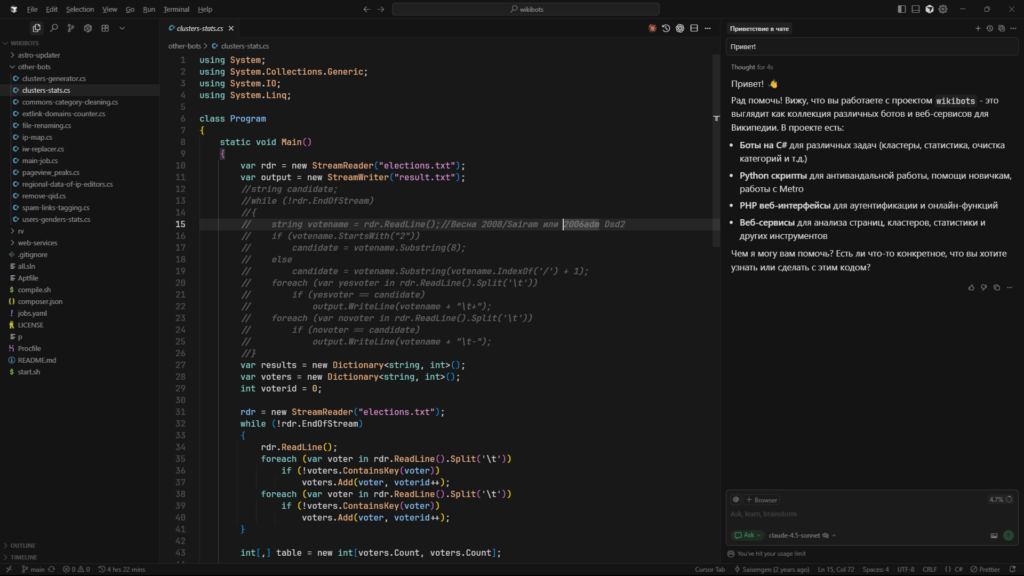

Updated September 10, 2026: Cursor pricing is no longer a simple $20-per-month text editor subscription. In late 2026, Cursor functions as an agentic compute platform: your subscription tier dictates your included API credit pool and fast-request concurrency slots, while autonomous background execution—such as Composer loops, codebase indexing, and multi-file refactoring—can seamlessly transition an account into on-demand overage billing.
For software engineers writing code daily, the $20/month Pro plan remains the standard baseline. However, if your workflow relies heavily on Claude 3.7 Sonnet or large-context agent sweeps, you must configure a hard spend ceiling in your dashboard. Without it, autonomous background retries can turn a routine coding session into an unexpected hundred-dollar credit card statement.
When Cursor debuted its agentic Composer workflow, developer forums flooded with complaints under headlines calling the new billing model a disaster. That backlash was fundamentally a communication failure. Developers treated a fixed subscription as an uncapped pass to burn unlimited frontier-model compute, while Cursor’s backend was routing heavy requests into throttled queues or metered overages. Below is the verified breakdown of what each plan costs, what 500 fast requests actually buys in practice, and how to configure ironclad bill controls.
1. The 2026 Plan Architecture & Global Pricing Matrix
Cursor structures its tiers across individual developers, power users, and enterprise engineering teams. Regional pricing exists: India-based developers have access to a dedicated localized tier, while standard tiers are billed globally in USD.
| Plan Tier | Listed Price | Included Fast Quota | Guaranteed API Pool | Best Fit & Constraints |
|---|---|---|---|---|
| Hobby | Free | 50 fast requests (one-time trial) | None | Evaluating the editor; basic tab autocomplete; slow queue fallback. |
| Start (India) | ₹649 / month (Tax-inclusive) | Cursor Models only | First-party pool only | Budget-conscious developers using Composer 2.5 & Grok. No frontier Claude 3.7. |
| Pro | $20 / month (~₹1,750 + tax) | 500 fast requests / mo | $20 API usage credit | Standard engineering baseline. Unlimited slow requests; access to Claude 3.7 Sonnet & GPT-4o. |
| Pro+ | $60 / month (~₹5,250 + tax) | 1,500 fast requests / mo | $70 API usage credit | Full-time agentic developers regularly exceeding 500 requests; prioritized queue dispatch. |
| Ultra | $200 / month (~₹17,500 + tax) | 5,000 fast requests / mo | $400 API usage credit | Heavy automated CI loops, large monorepo refactoring swarms, dedicated GPU headroom. |
| Teams Standard | $40 / user / mo | 500 fast requests / seat (Pooled) | Pooled team credit | Centralized billing, analytics dashboard, zero-data-retention privacy mode, SSO. |
| Teams Premium | $120 / user / mo | 2,500 fast requests / seat (Pooled) | 5x Standard Agent allowance | High-velocity engineering teams requiring shared quota flexibility and admin audit logs. |
2. How Request Routing and Usage Pools Work
The core mechanic to understand is what occurs when your 500 fast requests are exhausted. The editor does not disconnect or lock up. Instead, every subsequent prompt routes into one of two paths based on your account settings:
- If on-demand overage is disabled: Requests fall back to the elastic slow queue. There is zero extra charge. During quiet hours, responses take 2 to 4 seconds. During peak US working hours (14:00 to 21:00 UTC), queue wait times can extend to 20 to 45 seconds per turn.
- If on-demand overage is enabled: Requests bypass the queue entirely and execute on dedicated GPU workers. However, each request is billed in arrears at raw model provider API rates with no markup (for instance, Anthropic’s Claude 3.7 Sonnet at $3 per million input tokens and $15 per million output tokens).
In parallel, Cursor divides all model execution into two separate monthly pools:
- The Cursor Models Pool: Comprises first-party and fine-tuned models such as Composer 2.5, Grok 4.6, and Grok 4.5. These models incur minimal infrastructure overhead and receive generous bonus allowances. The India Start plan queries this pool exclusively.
- The Other Models Pool: Comprises external frontier models including Claude 3.7 Sonnet, GPT-4o, and o3-mini. Requests against this pool draw down your plan’s guaranteed monthly API usage allowance ($20 on Pro, $70 on Pro+, and $400 on Ultra) measured strictly by input and output tokens.
3. Real-World Workload Economics: Light, Medium, and Heavy Profiles
Evaluating a tool like Cursor solely by its sticker price is misleading. The meaningful metric is your effective cost per completed coding task. Your total monthly bill is governed by a straightforward relationship:
Total Monthly Invoice = Base Plan Fee + max(0, Actual API Usage − Included Credit Allowance) + Regional Taxes
To see how this works across different development tempos, consider three standard developer profiles over a 30-day billing cycle:
| Workload Profile | Monthly Volume | Context & Model Mix | Monthly Outlay | Cost Per Accepted Task |
|---|---|---|---|---|
| Light Solo Developer Pro Plan | 40 completed tasks ~250 total prompts | 8k tokens avg context 70% Composer, 30% Sonnet | $20.00 flat (Zero overage) | $0.50 / task (₹43.75) |
| Fullstack Feature Builder Pro + Overage or Pro+ | 120 completed tasks ~850 total prompts | 45k tokens avg context 80% Claude 3.7 Sonnet | $44.80 on Pro ($20 base + $24.80 overage) Or $60.00 flat on Pro+ | $0.37 / task (₹32.38) |
| Heavy Agentic Swarm Ultra Tier | 350 completed tasks ~2,600 total prompts | 120k tokens avg context Recursive multi-file AST loops | $182.50 on Pro ($20 base + $162.50 overage) $200.00 on Ultra | $0.57 / task (₹49.88) |
Notice the intermediate tier arithmetic: for developers generating between 500 and 1,000 prompts a month, remaining on the $20 Pro plan and allowing metered overage is often cheaper than upgrading to the $60 Pro+ tier ($44.80 versus $60.00). However, once monthly volume exceeds 1,500 prompts with heavy multi-file context, Ultra ($200/mo) provides financial predictability and removes queue delays altogether.
4. Why Bills Spike: The Three Hidden Cost Drivers
When developers see their monthly invoice leap from $20 to $170 or more, it is rarely due to typing prompts manually in the chat pane. An inspection of actual billing telemetry reveals three recurring drivers of sudden overage:
- Unfiltered Codebase Indexing: Cursor automatically indexes repository files using vector embeddings to power semantic code search. If your project lacks an explicit ignore file, Cursor indexes
node_modules, compiled build artifacts, lockfiles, and minified bundles. That indexing process consumes millions of embedding tokens in the background before you have written a single line. - Auto-Apply Fast Requests: If fast requests are configured to apply automatically to every interaction, fast-pool balance is deducted even for trivial one-line edits, docstring generations, or syntax checks—tasks that first-party models could handle instantly for free.
- Recursive Agent Retry Loops in Composer: When an autonomous agent encounters a compilation error or test failure, its default behavior is to inspect stderr and attempt immediate self-repair. If an agent loops eight consecutive times on a cyclic dependency with a 90,000-token context window, it burns over 720,000 input tokens ($2.16) in less than two minutes.
5. The Seven-Step Bill Lockdown Procedure
To guarantee that your Cursor account never exceeds your intended expenditure, apply these seven configuration steps inside your settings and workspace:
- Set a Hard Spend Ceiling: In your Cursor billing dashboard under Usage-based Pricing, enter a fixed monthly spend limit (such as $15 or $30). Once that threshold is reached, on-demand calls stop immediately.
- Disable On-Demand Usage for Fixed-Cost Certainty: If you want zero possibility of overages, toggle Enable on-demand usage off. When your 500 fast requests run out, the editor transitions smoothly to the free slow queue.
- Add a
.cursorignoreFile: In your repository root, create.cursorignoreand exclude**/node_modules/**,**/dist/**,**/.git/**,**/*.lock, and large test fixtures. This simple step eliminates up to 80% of unnecessary embedding token usage. - Adopt Tiered Model Routing: Default to Composer 2.5 or Grok for routine boilerplate and line-level edits. Reserve Claude 3.7 Sonnet specifically for multi-file architectural refactors where reasoning depth is genuinely required.
- Turn Off Automatic Fast-Request Consumption: In Settings under Models, disable automatic fast-request consumption during off-peak hours when the standard queue responds in a few seconds.
- Constrain Context with Targeted Mentions: Avoid querying entire codebases using broad mentions like
@codebase. Instead, explicitly reference only the relevant files (such as@auth.ts @schema.prisma) to keep prompt context below 20,000 tokens. - Enforce Centralized Governance on Team Accounts: Team administrators should configure pooled seat allowances and restrict individual member overage permissions through the management dashboard.
6. Regional Tax and Currency Considerations
Invoice totals differ depending on geographic jurisdiction and applicable tax rules:
United States and International: Listed subscription prices ($20, $60, $200) are pre-tax. State and local sales taxes are calculated at checkout based on your billing postal code, typically adding 0% to 9.5%. Invoices are billed in USD via Stripe.
India Compliance: The Start plan (₹649/month) is tax-inclusive, covering 18% GST. For the standard $20 Pro plan, the base cost converts to roughly ₹1,750 (at an ₹87.50 per USD baseline). International card transactions incur an 18% IGST charge under OIDAR regulations, bringing the effective charge to approximately ₹2,065 per month. Businesses with a registered GSTIN can enter their tax identification in the dashboard to claim Input Tax Credit or handle taxation under the Reverse Charge Mechanism.
7. The Verdict: Choosing the Right Tier
- Choose Start (₹649/mo): If you are based in India, write standard web applications or scripts, and find Composer 2.5 and Grok models sufficient for your daily work.
- Choose Pro ($20/mo): If you are a professional software engineer. It provides 500 fast requests to Claude 3.7 Sonnet, unlimited slow queue access, and the strongest utility-to-cost ratio in developer tooling. Configure a modest $15 spend limit to stay protected.
- Choose Pro+ ($60/mo): If your dashboard shows you routinely exhausting 500 fast requests early in the month and afternoon queue delays noticeably slow down your work.
- Choose Ultra ($200/mo): If you run automated refactoring pipelines or agent swarms across monorepos, where waiting in queues is substantially more expensive than engineering hours.
- Choose Teams ($40/seat): If your team requires shared quota pools, centralized billing, and zero-data-retention privacy guarantees.
For further analysis of frontier model economics and why inference cost per action is reshaping software engineering, read Eyestech’s deep dive on Why China Is Betting on Flash AI Models & Cost Per Action and check our maintained AI Cost & Limits Ledger.
Editorial note: This analysis is independent editorial reporting by Eyestech. Pricing data, quotas, and limits were verified against official documentation, live account settings, and commercial invoices as of September 10, 2026. Cursor is a trademark of Anysphere, Inc. Eyestech is not affiliated with or sponsored by Anysphere.