


The short answer
This Pixel 11 Tensor G6 on-device AI review asks a simple question: is Google finally making on-device AI useful, or just giving the old AI-phone pitch a faster chip?
The Pixel 11’s Tensor G6 is not a Snapdragon-beating performance monster. Independent testing still places it well behind the fastest Android and iPhone chips in CPU and graphics benchmarks. Google has made a different bet: spend more of the silicon budget on the TPU, run smaller Gemini models locally and turn the phone into a quiet assistant for photography, translation, voice input and small actions across apps.
That bet works in a few places. Magic Capture, which analyses roughly 400 frames to pull out a sharp 12-megapixel still, is exactly the kind of task a phone should do locally. So are instant transcription, sign-to-text and portions of Live Translate. They are fast, private and available even when a data connection is poor.
But Google’s marketing still blurs three separate things: an AI feature that runs fully on the phone, a feature that uses a local model before calling the cloud, and a cloud feature presented through a Pixel interface. The Pixel 11 improves the first two categories. It does not eliminate the third.
My verdict: Tensor G6 is a meaningful AI processor, but Pixel 11 is not yet the fully local personal agent Google’s language suggests. It is a better camera-and-language computer, not a replacement for the cloud.
What Google actually announced
Google’s official Pixel 11 launch describes a four-device family—Pixel 11, Pixel 11 Pro, Pixel 11 Pro XL and Pixel 11 Pro Fold—built around the Tensor G6 and Gemini Intelligence. The company highlights a thinner camera bar, camera upgrades, proactive assistance, seven years of software and security updates, and new features such as Magic Capture and Live Translate. Google’s launch announcement is the authoritative source for the hardware and availability claims.
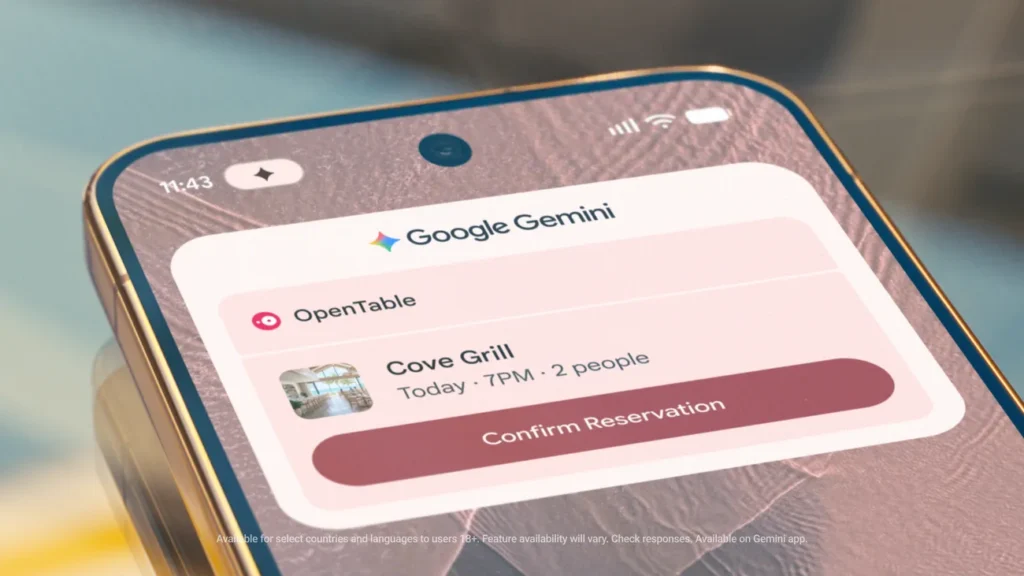
The more revealing details are in Google’s feature breakdown. Gemini can handle multistep actions across more than 40 apps; Rambler turns messy spoken input into cleaner text; sign-to-text uses Google DeepMind’s Sign Language-to-Text model; and Pixel can surface contextual cards for trips, reservations, Calendar, Maps and Wallet. Google’s Pixel 11 feature article also says Magic Capture combines on-device intelligence with Gemini models to inspect around 400 frames and produce a selected still plus video.
That wording matters. “Combines on-device intelligence with Gemini models” is not the same as “everything runs offline.” Google is describing a pipeline, not promising that every step happens on the Tensor G6.
Tensor G6’s real design brief: accelerate the parts Google controls
The Tensor project has never been about winning a silicon beauty contest. Google controls Android, Pixel Camera, Google Photos, Gemini and a large set of language and vision models. That gives it a chance to optimise the complete path from sensor or microphone to user-visible result.
Tensor G6 appears to push that strategy harder. Android Authority’s testing found that Google prioritised TPU improvement—reported as roughly a 50% generational uplift in TPU compute—while CPU and GPU gains were much smaller. The same testing found that the Pixel 11’s graphics performance remains far behind Snapdragon and Apple alternatives, and that sustained gaming is still a weak point. Android Authority’s Tensor G6 benchmark analysis is useful precisely because it shows the trade-off rather than repeating the launch presentation.
This asymmetry is rational if Google believes the most valuable workloads are not 3D games or video exports. A TPU can be busy for milliseconds at a time, classifying a photo, transcribing a phrase or drafting a reply, then disappear back into a low-power state. A faster CPU and GPU would improve everything, but they would also cost more power, area and heat.
The risk is that users do not experience phones as isolated AI accelerators. They experience them as cameras, browsers, games, editors and long-lived computers. If the CPU and GPU are a generation behind rivals, the Pixel’s AI advantage has to be obvious enough to compensate every day—not just during a launch demo.
The breakthrough Google quietly shipped before Pixel 11
The most important technical clue is not a Pixel 11 feature at all. In June, Google Research described a method for retrofitting Multi-Token Prediction (MTP) onto a frozen Gemini Nano v3 model. Instead of running a separate small “drafter” model for speculative decoding, Google attaches a lightweight prediction head to the already-trained model’s final layers. Google Research explains the method here.
Why does that matter? A normal autoregressive model predicts one token, waits, predicts the next and repeats. Speculative decoding tries to predict several tokens at once, but a separate drafter consumes memory and competes with the main model. Google’s frozen-backbone approach reuses the main model’s internal state, training only the extra head. Google says this can make on-device generation faster and more energy-efficient without changing the base model’s capabilities or safety alignment.
That is a much more credible route to useful phone AI than simply adding a larger NPU. Mobile inference is a memory-and-battery problem as much as a raw-compute problem. If the phone can produce several accepted tokens per expensive model pass, the user feels the improvement as quicker proofreading, summaries and voice interactions rather than as a benchmark number.
It also explains Google’s long-term advantage. The company can retrofit efficiency methods onto a model family already deployed across Pixel devices. The best phone AI may come from scheduling, caching, quantisation and model-exit tricks that users never see.
Where on-device AI is genuinely useful on Pixel 11
Magic Capture is the right kind of AI
Magic Capture is a strong example because it solves a physical problem: people miss the decisive frame while recording a video. Google says Pixel analyses around 400 frames, selects a high-quality still and can apply crop and unblur edits. The first frame suggestions appear quickly, but the finished result is not instant: in DPReview’s hands-on test, a 15-second clip took about a minute for Gemini processing to finish. The final 12MP image looked better than a basic 4K frame grab, although it still did not match a normal phone still photo. DPReview’s real-world Magic Capture test exposes the distinction between fast local triage and slower enhancement.

Magic Capture turns a short video into selected stills and a video clip. Official Google feature image; compressed WebP copy.
This is not a chatbot pretending to be an operating system. It is a narrow, repeated task with a clear success condition. The model does not need to know everything; it needs to rank frames, detect faces or subjects and preserve detail. The Tensor G6 TPU is well matched to that job. The catch is that Google’s “on-device” wording should not be read as “all processing is finished before you put the phone away.”
Translation and accessibility benefit from local latency
Live Translate and sign-to-text are similarly practical. A conversation becomes frustrating if the phone waits for a remote server after every sentence. Local speech, language and vision models can keep the interaction flowing and keep sensitive audio from leaving the device. Google says the Pixel 11 uses advanced on-device generative AI models for real-time translation, while its sign-to-text feature uses Google DeepMind’s SL2T model.
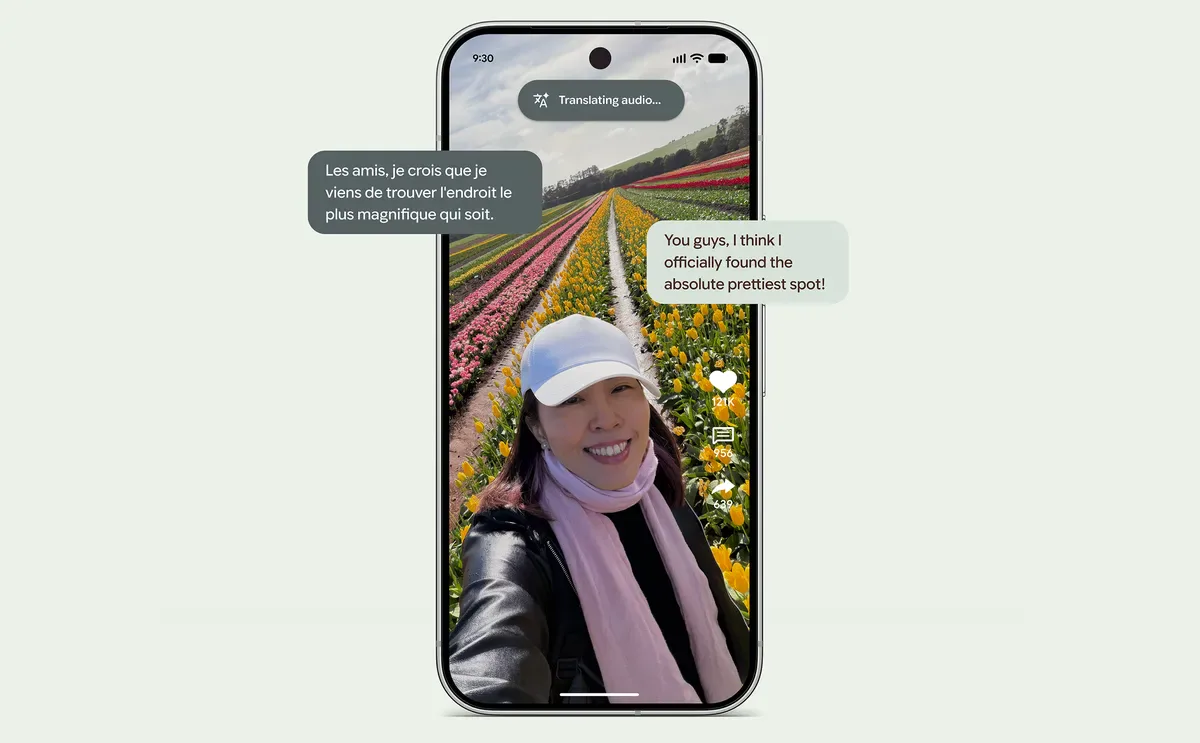
Live Translate running on Pixel 11. Official Google feature image; compressed WebP copy.
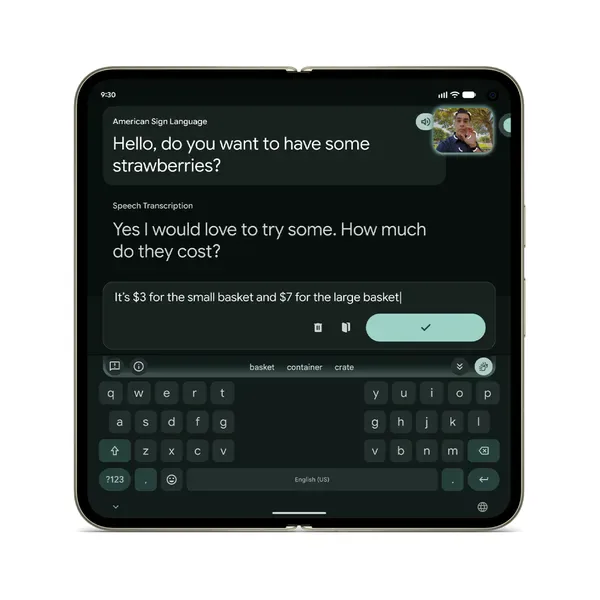
Sign-to-text in Gboard on Pixel 11. Official Google feature image; compressed WebP copy.
The limitation is language coverage and model size. Smaller local models usually support fewer languages, have less world knowledge and struggle more with accents or noisy environments. Google will still need cloud fallback for difficult cases. A good design should make that fallback explicit instead of silently sending every failed attempt to a server.
Rambler is an interface win, not an AGI moment
Rambler, Google’s voice-input feature, cleans up the way people actually speak—including filler words and false starts. That is valuable because speech is faster than typing, but raw transcription is messy. The feature turns the phone into a better input device.
It should not be confused with a general autonomous assistant. Rewriting a voice note is a bounded transformation. Booking a restaurant, changing a flight or sending a message involves permissions, authentication, error recovery and social consequences. The latter tasks may use Gemini Intelligence and app integrations, but the phone still needs policy checks and often a cloud model.
The early reviews also show why this feature needs a proper stress test. Tom’s Guide reported that Rambler’s natural-language cleanup was impressive but still had room for improvement, while WIRED found that an accent could trip it up and disliked that the cleaned text appeared only after recording rather than streaming live. Tom’s Guide’s Rambler experiment and WIRED’s Pixel 11 review are more useful than a launch demo because they test the feature as an input habit.
Device Help is the stress test for agentic AI
Google’s experimental Device Help feature shows both the promise and the danger of putting an agent inside Android Settings. Android Authority found that Gemini could inspect battery and Wi-Fi problems, open the correct settings page, switch dark mode and change brightness. But two testers asking about Magic Capture received different instructions, including one confidently wrong answer. Android Authority’s Device Help test is the warning every “AI phone” review should include: a local model that is fast but wrong can be more frustrating than a slower search box.
The fix is not simply a larger model. Device Help needs a constrained action layer: expose the setting it intends to change, show the source of its diagnosis, ask for confirmation before a consequential action and fail closed when confidence is low. That is the difference between an assistant and an autocomplete system with permission to touch the phone.
Where Google’s “on-device” story breaks down
A one-million-step assistant cannot fit in a phone
On-device models have hard limits: RAM, thermal headroom, storage and battery. A phone can run a compact Gemini Nano model efficiently, but it cannot carry the full context, tool catalogue and retrieval system of Google’s largest cloud models. That means the Pixel 11 must decide when to answer locally, when to retrieve from the phone and when to escalate.
Google has not published a simple offline matrix showing which Pixel 11 features work without a network, which are hybrid and which are cloud-only. That is a problem for buyers who care about privacy or travel. A useful phone should show an offline indicator and explain when data leaves the device.
Proactive intelligence can become notification spam
Google’s contextual cards are ambitious: infer that a text conversation is about dinner, show a reservation action, surface a flight update or suggest saving information to Maps and Wallet. The upside is fewer taps. The downside is a phone that constantly guesses what you want.
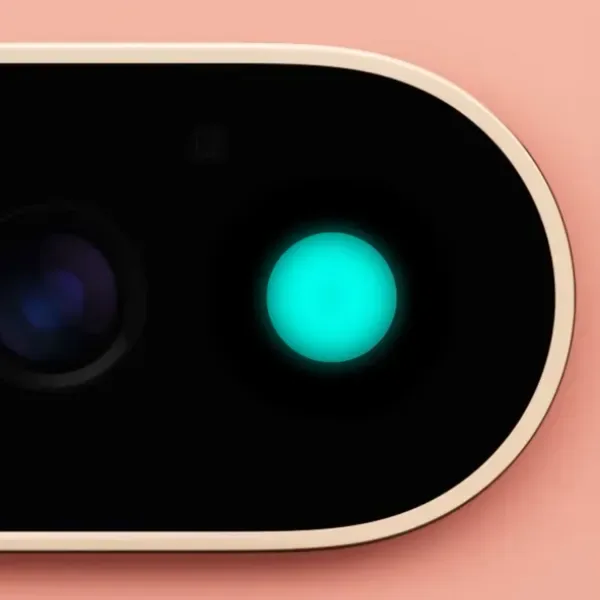
HiLight is Google’s physical status signal for Gemini and important calls. Official Google feature image; compressed WebP copy.
The quality bar is therefore higher than answer accuracy. The system must know when not to interrupt, avoid exposing private information on a lock screen and ask for confirmation before a consequential action. On-device processing helps privacy, but it does not solve the product problem of overreach.
The RAM decision is hard to defend
Android Authority notes that Pixel 11 Pro models ship with 12GB of RAM, down from 16GB in the previous generation. That is an uncomfortable choice for a phone marketed around long-lived AI. More efficient models reduce compute, but long context, multimodal inputs and app switching still consume memory. If Google wants seven years of updates and new Gemini features, headroom matters.
The concern is not that 12GB makes the Pixel unusable today. It is that Google is asking buyers to trust future software efficiency while competitors are adding memory and faster general-purpose silicon. A local AI strategy should make the memory budget more transparent, not less.
Tensor G6: what is confirmed, and what is still marketing
The Pixel 11 story is unusually easy to distort because Google publishes user-facing speed claims while reviewers have to infer the underlying hardware. Android Central lists the G6 with a fifth-generation TPU, Arm C1-Ultra/C1-Pro CPU cores, a MediaTek M90 modem, LPDDR5X memory and a 3nm process. It also reports that Google claims 25% faster browsing, up to 20% better power efficiency and a TPU with 50% more compute than the previous generation. Android Central’s Tensor G6 breakdown is a useful specification cross-check, but those headline gains are not the same as independent benchmark results.
| Claim or component | What the evidence actually tells us |
|---|---|
| 50% more TPU compute | A Google claim relayed by Android Central; it explains the AI-first design but does not predict every app’s speed. |
| 25% faster browsing / 20% better efficiency | Google’s comparative claims; battery testing has not shown a generational breakthrough. |
| 3nm process | Listed by Android Central; Google has not made the process node the centre of its launch message, so 2nm leak headlines should not be treated as confirmed. |
| MediaTek modem | Reported in the hardware breakdown; Google’s own wording is “most power-efficient modem ever on a Google Pixel.” |
| Vapor chamber | Present on Pro models according to Android Central; the base Pixel 11 remains the weaker choice for sustained loads. |
This distinction gives Eyestech a stronger angle than a spec recap: Tensor G6 may be a smart allocation of silicon for Google’s own camera and language pipelines, while still being a poor all-purpose chip for a buyer who values gaming, emulation or long video exports.
Benchmarks expose the cost of Google’s priorities
Tom’s Guide measured the Pixel 11 at 2,664 single-core and 7,347 multicore in Geekbench 6, compared with much higher scores from the Galaxy S26 and iPhone 17. Its 3DMark Wild Life Unlimited result was 84.28 frames per second. The review found the phone smooth in daily use and capable in mainstream games, but clearly behind comparable flagships in raw performance. Tom’s Guide’s Pixel 11 review provides the test table and battery measurements.
These numbers do not disprove Google’s AI strategy. They define its opportunity cost. Every square millimetre and watt assigned to the TPU is a square millimetre and watt not assigned to CPU, GPU or modem performance. Google is effectively asking customers to fund an AI accelerator they may notice only in selected apps.
For a camera-first buyer, that could be a good trade. For a gamer, emulator user or creator who exports video, it is not. The Pixel 11 is not a universal performance leader; it is a specialised phone whose specialisation is becoming easier to see.
Google versus Apple, Qualcomm and China’s model labs
The competitive question is no longer “does the phone have an NPU?” Every flagship phone has one. The question is who owns enough of the stack to make local intelligence feel coherent.
Apple has the advantage of controlling its silicon, operating system and first-party apps, with a strong privacy narrative around on-device processing. Qualcomm and MediaTek sell platforms to many phone makers, so their advantage is broad compatibility and sustained CPU/GPU performance. Google sits between those models: it owns Android and Pixel software, but its hardware volume is much smaller than Apple’s and its Tensor chips still trail rivals in conventional performance.
Chinese model companies are attacking the same constraint from the server side. Qwen3.8 Flash-Next and GLM-5.3 Flash use sparse architectures and long-context tricks to lower inference cost. Our Qwen versus GLM analysis makes the parallel clear: whether intelligence lives in a phone or a data centre, efficiency is increasingly about routing, memory and workload-specific models—not just parameter count.
Google’s opportunity is to bring that systems thinking to the edge. Tensor G6 does not need to beat every chip if Pixel can deliver lower latency, stronger privacy and features competitors cannot reproduce. But the advantage must be visible in everyday workflows, not hidden in a TPU specification sheet.
The global catch: Gemini Intelligence is not the same everywhere
For an audience spanning the United States, Europe and India, availability is part of the product—not a footnote. Google’s Android help page says Gemini Intelligence requires at least 12GB of RAM, a qualified system-on-chip and advanced on-device AI capability. It also warns that individual features vary by country, language and device, and that some capabilities require a personal Google account, Personal Intelligence or Proactive Assistance. Google’s eligibility and controls guide should be read alongside any Pixel 11 review.
That creates a two-tier ownership experience. A US user may see restaurant booking, connected Gmail context and proactive cards; an Indian or European user may get a smaller feature set, different languages or a delayed rollout. Google’s own launch notes say feature availability varies and usage limits or subscriptions may apply. A review that calls the Pixel 11 “the smartest phone” without stating where the tester lives is incomplete.
The privacy story is similarly layered. Google promises explicit user control, comprehensive data protection and operational transparency, including permission controls, Private Compute Core or Private AI Compute, progress indicators and activity logs. Those are meaningful safeguards, but they are not proof that every Gemini action is local. The honest label for Pixel 11 is local-first, cloud-assisted intelligence.
A better way to test Pixel AI
Reviewers should stop treating “AI features” as a checklist. The useful test is a five-part scorecard:
| Test | Question to answer |
|---|---|
| Offline mode | Does the feature still work in airplane mode, and is the result understandable? |
| Latency | How long from tap or speech to a useful result? |
| Battery | How many repeated actions before the phone gets hot or loses meaningful battery? |
| Privacy | Is processing local, hybrid or cloud, and does the UI disclose that clearly? |
| Recovery | What happens when the model is wrong, the network disappears or a tool call fails? |
The most revealing experiment is to repeat the same task twenty times: translate a noisy conversation, summarise notifications, extract an item from a video or clean up voice notes. Measure first-result latency, error rate, battery drain and whether the phone silently falls back to the cloud. That is the evidence buyers need—not a single TPU claim.
FAQ: Pixel 11 Tensor G6 and on-device AI
Does Pixel 11 AI work completely offline?
Some features use on-device intelligence, but Google describes others as hybrid or Gemini-powered. Do not assume that every Pixel 11 AI feature works without a network; test the individual feature in airplane mode.
Does Pixel 11 Gemini Intelligence work in every country?
No. Google says feature availability depends on country, language, device and account configuration. Some tools also require Personal Intelligence, Proactive Assistance or a subscription, so buyers should check the official eligibility page before assuming a launch demo applies to them.
Is Tensor G6 a 2nm chip?
There were earlier 2nm reports, but Android Central lists the production chip as 3nm and Google has not made a 2nm process part of its official Pixel 11 announcement. Treat 2nm claims as unconfirmed unless Google publishes a definitive specification.
Is Tensor G6 faster than Snapdragon or Apple silicon?
Not in general CPU and GPU performance. Independent tests show the Pixel 11 trailing comparable Galaxy and iPhone models, even though its TPU-focused AI workloads improve.
Is Magic Capture processed on the phone?
Google says Magic Capture uses on-device intelligence together with Gemini models. The feature is designed for fast local frame analysis, but Google has not presented every processing stage as exclusively offline.
Should gamers buy Pixel 11 for Tensor G6?
Probably not. The phone is capable of mainstream gaming, but independent testing finds much stronger sustained graphics performance on competing flagship chips.
Verdict: useful local AI, incomplete local intelligence
Google deserves credit for choosing a difficult path. It is using Tensor G6 to make narrow, high-frequency tasks faster, more private and less dependent on a data centre. Magic Capture, translation, accessibility tools and voice cleanup are legitimate improvements—not just demo tricks.
But Google has not solved the harder problem: a trustworthy, capable personal agent that can reason across the phone without quietly outsourcing the work. The cloud remains essential for the largest models, broad knowledge and complex multistep actions. The Pixel 11 also asks users to accept weaker gaming and general performance, plus a questionable memory ceiling, in exchange for an AI advantage that is still unevenly distributed across features.
So, is Google finally making on-device AI useful? Yes, in the narrow places where latency and privacy matter most. No, if the promise is a fully local replacement for cloud intelligence. Tensor G6 is the foundation of a credible edge-AI strategy, but Pixel 11 is still a transition device: part smart camera, part language computer and part conventional Android phone waiting for Google to prove that the local layer can grow up.