

AI coding tools have moved far beyond simple autocomplete. The best AI coding agents in 2026 can inspect a repository, understand project context, edit multiple files, run commands, write tests, and even create pull requests for human review.
That does not mean they replace software engineers. It means the developer’s role is shifting from writing every line manually to planning, reviewing, testing, and guiding AI agents that can handle more of the execution.
For this list, the focus is on real AI coding agents, not basic chatbot tools. A proper coding agent should be able to understand codebase context, modify files, use tools, run checks, and produce work that a developer can review.
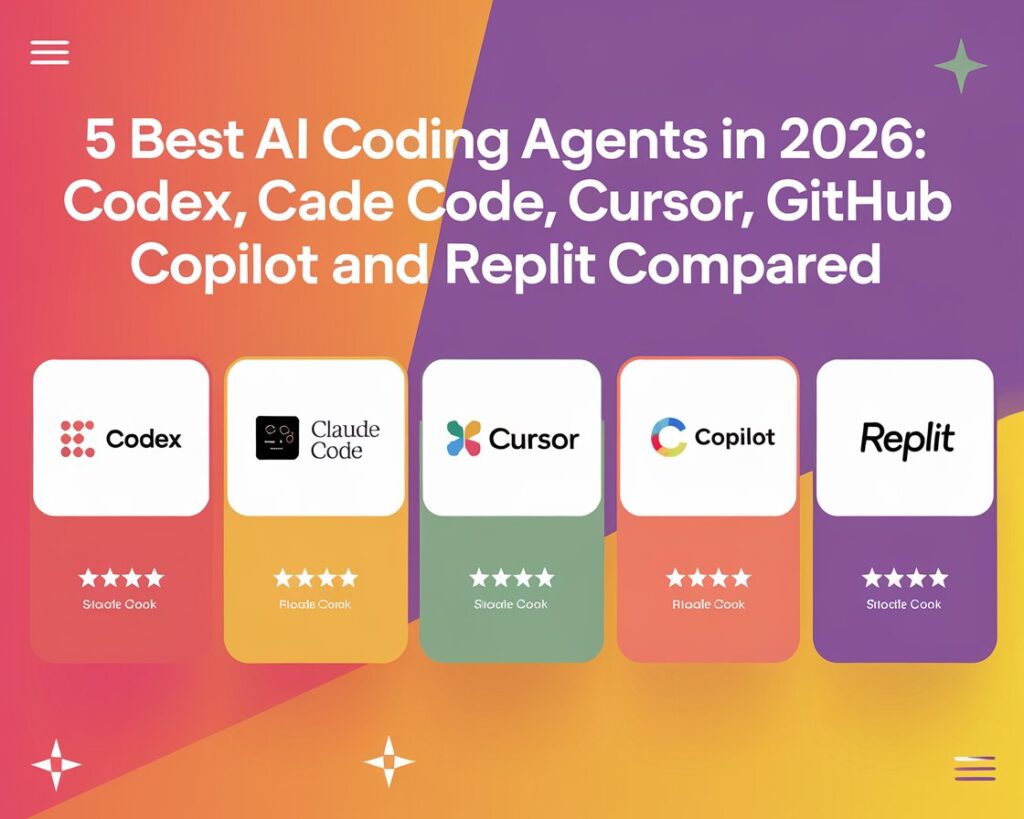
The five best AI coding agents in 2026 are:
- OpenAI Codex
- Claude Code
- Cursor
- GitHub Copilot cloud agent
- Replit Agent
Quick Comparison
| AI Coding Agent | Best For | Main Interface | Biggest Strength | Main Caution |
|---|---|---|---|---|
| OpenAI Codex | Parallel coding tasks, PR drafts, code review | ChatGPT, Codex app, CLI, IDE, cloud | Strong all-round agent workflow | Needs clear instructions and human review |
| Claude Code | Terminal users, debugging, refactoring | Terminal and IDE integrations | Deep codebase reasoning | Can be too broad if prompts are vague |
| Cursor | Daily coding inside an AI editor | Cursor IDE | Fast edit-review loop | Best when developer actively steers it |
| GitHub Copilot cloud agent | GitHub Issues to pull requests | GitHub, VS Code, JetBrains, CLI | Fits GitHub team workflows | Less useful outside GitHub-heavy teams |
| Replit Agent | MVPs, prototypes, internal tools | Replit browser IDE and mobile apps | Build, run, test and deploy in one place | Less ideal for large legacy repositories |
1. OpenAI Codex
Best for: developers who want to delegate multiple coding tasks in parallel.
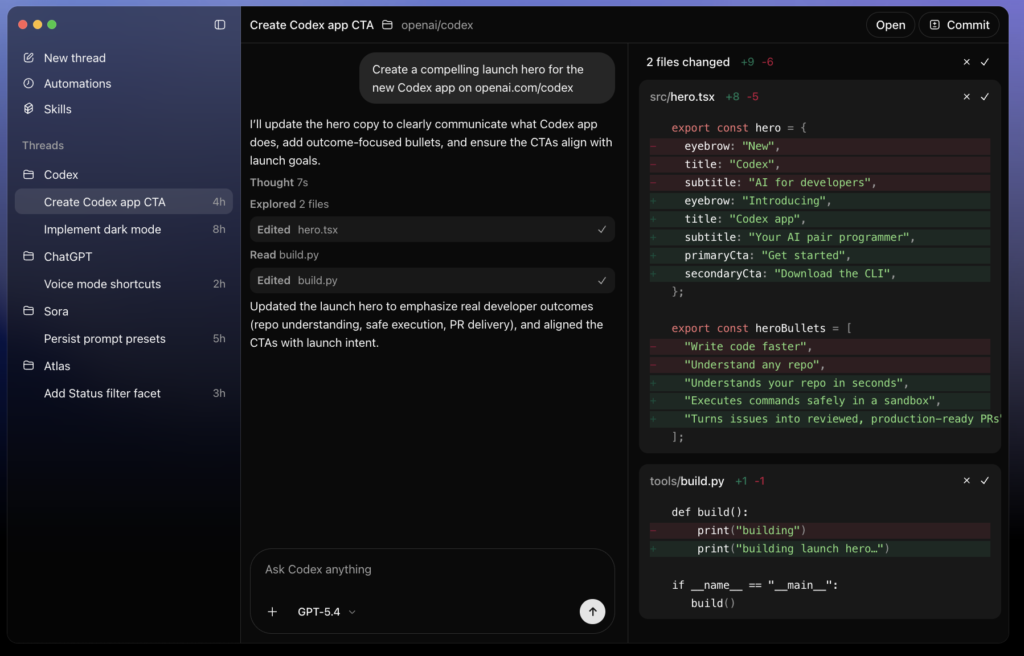
OpenAI Codex is one of the most complete AI coding agents available in 2026. It can work through ChatGPT, the Codex app, the command line, IDE integrations, and cloud environments. OpenAI positions Codex as an agent for writing, reviewing, and shipping code faster.
The biggest advantage of Codex is delegation. Instead of asking an AI chatbot for a small code snippet, you can give Codex a full development task. For example, you might ask it to refactor a billing service, update the test suite, and prepare a pull request with a focused diff.
Codex can inspect a repository, edit files, run test commands, and return a patch or pull request. Its cloud workflow is especially useful for teams because it can work in isolated environments without touching a developer’s local machine.
Codex also fits modern agentic workflows well because it can handle background coding tasks while developers focus on reviewing architecture, product behavior, and edge cases.
Why OpenAI Codex stands out:
Codex is strongest when the work can be split into clear, testable tasks. It is useful for bug fixes, test generation, small feature work, code review, documentation updates, and pull-request preparation.
The best way to use Codex is to provide specific instructions: define the relevant files, describe the expected behavior, list commands to run, explain what files to avoid, and ask it to summarize evidence after the work is complete.
Where OpenAI Codex struggles:
Codex still needs human review. Like every AI coding agent, it can miss business logic, overfit to weak tests, make a larger change than necessary, or misunderstand product intent. It is powerful, but the human developer still owns security, architecture, and final merge decisions.
Verdict:
OpenAI Codex is the best overall AI coding agent for teams that want a flexible agent across local coding, cloud tasks, code review, and pull-request workflows.
2. Claude Code
Best for: engineers who live in the terminal and want deep codebase reasoning.
Claude Code is Anthropic’s agentic coding tool. It runs in the terminal, can edit files, run commands, create commits, and connect to external tools through MCP.
Claude Code is built for developers who are comfortable working close to the command line. It can explore a repository, explain unfamiliar code, debug failing tests, make multi-file changes, and automate repetitive development tasks.
Why Claude Code stands out:
Claude Code is excellent for understanding large or unfamiliar codebases. It can search through files, reason about relationships between modules, and explain the system before making edits. This makes it useful for debugging, refactoring, migration work, and technical investigation.
It also works well for developers who do not want to move into a new IDE. You can keep your existing shell, editor, git workflow, test commands, and deployment habits, then bring Claude Code into that environment.
Where Claude Code struggles:
Claude Code can be too powerful for vague instructions. If a prompt is broad, it may make more changes than expected. It works best when the developer provides tight scope, reviews diffs carefully, and runs tests after each meaningful change.
Verdict:
Claude Code is the best terminal-native AI coding agent, especially for developers who want deep help with debugging, refactoring, and codebase exploration.
Anthropic Claude
3. Cursor

Best for: developers who want an AI agent inside their daily editor.
Cursor is one of the most popular AI-first code editors. It feels familiar because it is built around a VS Code-style experience, but its AI features are much more deeply integrated than a normal extension.
Cursor can understand open files, project context, diffs, terminal output, and developer instructions. It is especially useful when you want the AI to make changes while you stay close to the code.
Why Cursor stands out:
Cursor’s biggest strength is the speed of the development loop. You ask for a change, inspect the proposed edits, accept or reject them, run the app, then ask for a follow-up fix. This makes Cursor one of the best tools for everyday product development.
It works well for UI changes, tests, refactors, small feature additions, bug fixes, and code explanations. It is not just an autocomplete tool; it is an AI coding environment where the developer and agent work together continuously.
Where Cursor struggles:
Cursor is still editor-centered. If you want to queue many background tasks and receive multiple pull requests later, OpenAI Codex or GitHub Copilot cloud agent may fit better. Cursor is at its best when the developer is actively guiding the session.
Verdict:
Cursor is the best AI coding agent for developers who want a fast, practical, daily-driver coding experience inside an editor.
Cursor Official Website
4. GitHub Copilot Cloud Agent
Best for: teams that already manage work in GitHub Issues and pull requests.
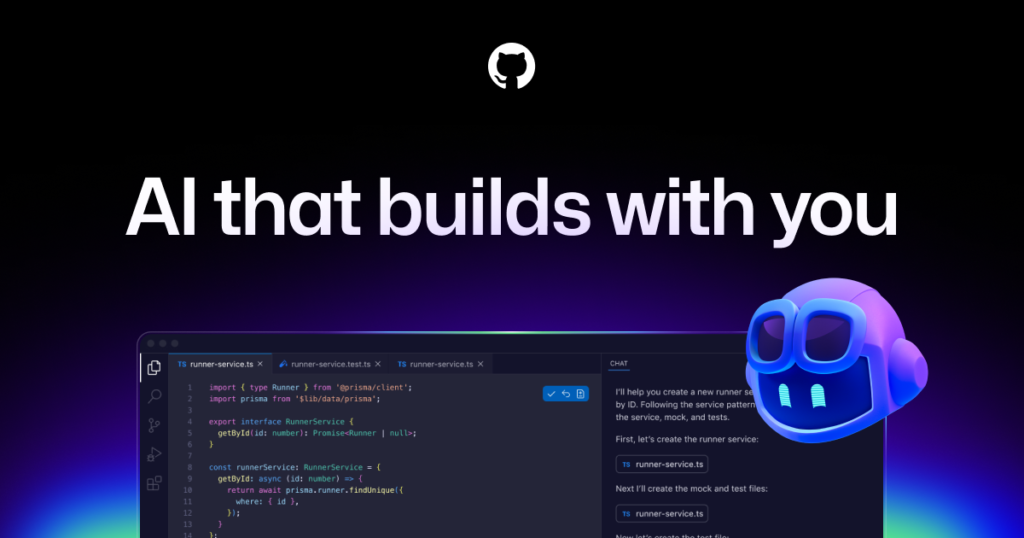
GitHub Copilot has evolved from autocomplete into a more agentic coding workflow. The GitHub Copilot cloud agent can work from GitHub Issues, create branches, make code changes, run checks, and open pull requests for review.
This makes it especially useful for teams that already live inside GitHub. Instead of changing how the team works, Copilot fits into issues, branches, pull requests, reviews, and repository permissions.
Why GitHub Copilot cloud agent stands out:
The main advantage is workflow fit. A team can assign an issue, let the agent work on it, and then review the result as a normal pull request. GitHub’s documentation says the coding agent can use an ephemeral development environment powered by GitHub Actions, explore the code, make changes, run tests, and use linters.
This is ideal for scoped engineering work such as bug fixes, documentation updates, test coverage improvements, dependency updates, and small features.
Where GitHub Copilot cloud agent struggles:
It is less flexible if your team does not use GitHub as the center of development. It is also less natural for highly exploratory coding, design-heavy work, or tasks that require a lot of local product context outside the repository.
Verdict:
GitHub Copilot cloud agent is the best AI coding agent for GitHub-native teams that want issue-to-PR automation.
5. Replit Agent
Best for: turning plain-language product ideas into working apps.
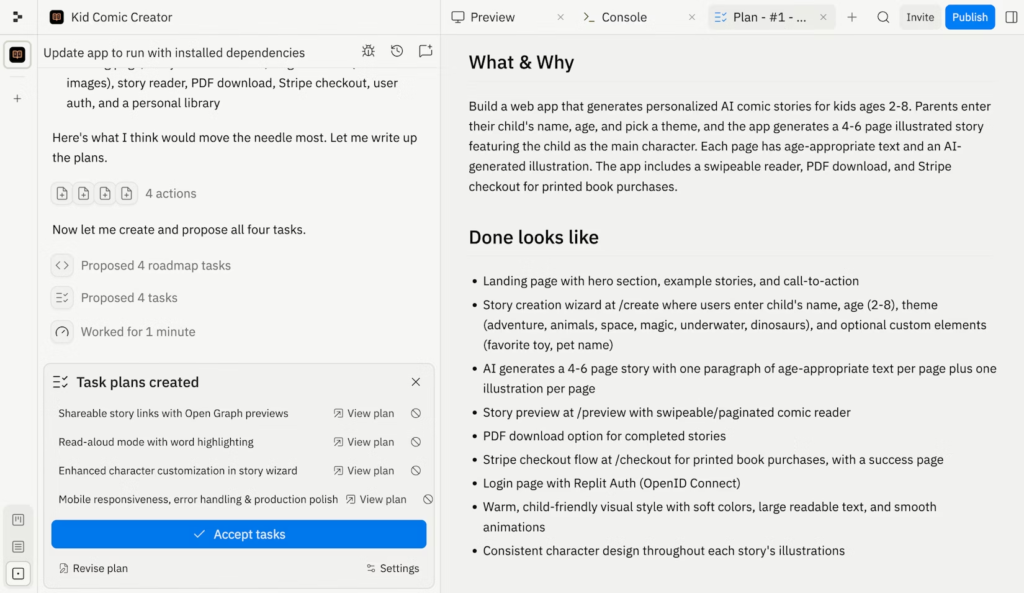
Replit Agent is the most approachable AI coding agent on this list. It is built into Replit’s cloud development environment, so it can create a project, write code, install packages, run the app, test changes, and help deploy from one browser-based workspace.
That makes Replit Agent especially useful for founders, students, creators, and small teams that want to build fast without spending hours on setup.
Why Replit Agent stands out:
Replit Agent is strongest at zero-to-one development. If you want a dashboard, directory site, AI wrapper, booking app, simple SaaS prototype, or internal tool, Replit can create the project structure and run it immediately.
The agent also benefits from Replit’s integrated hosting, database, auth, and deployment features. That makes the distance between “idea” and “working URL” much shorter than in a traditional local setup.
Replit has also expanded Agent beyond narrow templates. According to Replit’s own product updates, Agent can help build apps across frameworks, which makes it more flexible for users who want a real codebase rather than a locked-down no-code builder.
Where Replit Agent struggles:
Replit Agent is less compelling for mature production repositories with complex local tooling, private infrastructure, or strict enterprise review processes. It can also make broad changes if the prompt is vague, so users should still review the code carefully before using it in production.
Verdict:
Replit Agent is the best AI coding agent for fast prototypes, MVPs, and app builders who want code, hosting, and deployment in one place.
Replit Official Website
Which AI Coding Agent Should You Choose?
Choose OpenAI Codex if you want the strongest all-around coding agent for cloud tasks, pull-request review, code changes, and parallel work.
Choose Claude Code if you prefer terminal workflows and want deep help with debugging, refactoring, and understanding large repositories.
Choose Cursor if you want the best AI coding experience inside a familiar editor and you like staying close to every edit.
Choose GitHub Copilot cloud agent if your team already runs on GitHub Issues and pull requests.
Choose Replit Agent if you want to turn an app idea into a working prototype as quickly as possible.
Final Take
The best AI coding agent in 2026 is not simply the one with the most impressive demo. It is the one that fits your workflow.
For most developers, the safest stack is practical: use Cursor or Claude Code while actively coding, use OpenAI Codex for background tasks and code review, and use GitHub Copilot cloud agent if your team already manages work in GitHub. Replit Agent is the best choice when the goal is not maintaining a large legacy repository but getting a usable app online quickly.
The rule is the same for all five tools: give the agent small, testable tasks, make it show its work, run tests, and review every diff before it ships. AI coding agents are finally useful enough for real engineering work, but they still need human judgment.
Frequently Asked Questions
What is the best AI coding agent in 2026?
OpenAI Codex is the best overall AI coding agent for most teams because it supports local workflows, cloud tasks, pull-request review, and parallel agent work. Cursor and Claude Code are better daily-driver choices when a developer wants to stay close to every edit.
Which AI coding agent is best for beginners?
Replit Agent is the easiest starting point for beginners because it combines coding, package setup, app preview, and deployment in one browser workspace. Cursor is a good next step for beginners who want a more traditional editor.
Are AI coding agents better than autocomplete tools?
Yes, for multi-step work. Autocomplete tools suggest lines or snippets, while AI coding agents can inspect a repository, plan changes, edit files, run commands, create pull requests, and explain the result. Autocomplete is still useful for speed, but agents are better for complete tasks.
Can AI coding agents create pull requests?
Yes. OpenAI Codex and GitHub Copilot cloud agent are especially strong for pull-request workflows. GitHub Copilot cloud agent can work from GitHub Issues and push changes to a pull request for human review.
Which AI coding agent is best for app prototypes?
Replit Agent is the best choice for fast app prototypes because it can create, run, test, and deploy projects inside Replit. It is especially useful for MVPs, internal tools, student projects, and early product experiments.
Should I trust AI coding agents with production code?
Use them, but review every change. AI coding agents can save major engineering time, but they can still miss edge cases, security issues, business rules, and integration problems. The safest workflow is to give small tasks, run tests, review diffs, and merge only after human approval.