


Snapchat, the dynamic social media platform, continually captivates users with its diverse range of filters and lenses. Among these, the enchanting Butterflies Lens has emerged as a favorite for many.
See Also: The 10 Best Workout Log Apps of 2024
In this article, we delve into the various methods to unlock and enjoy this visually stunning Butterflies Lens on Snapchat. Let’s transform your Snapchat experience with these easy steps!
Quick Access: Unlocking the Butterflies Lens
Step 1: Open the Snapchat App
Begin by launching the Snapchat app on your Android or iOS device. The user-friendly interface makes navigating to the lens store a breeze.
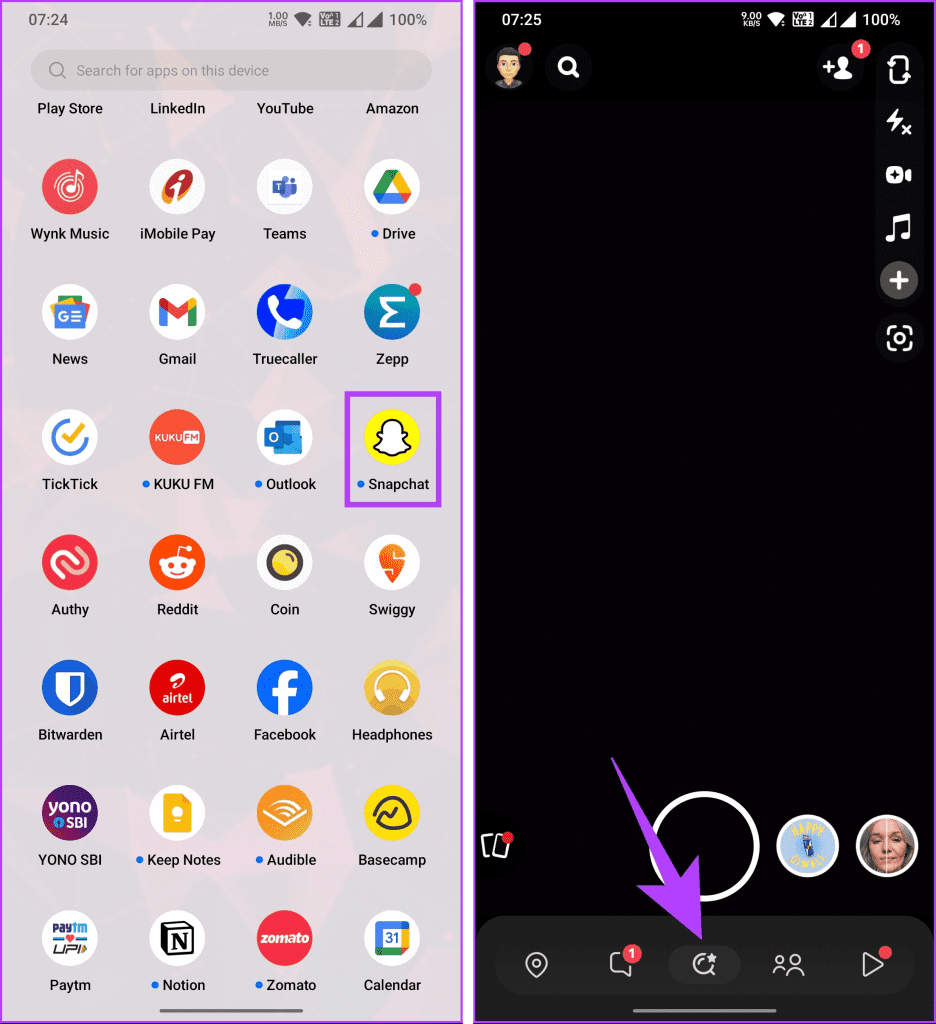
Step 2: Search for the Lens
Once in the app, locate the search icon situated at the bottom center. Tapping on this will redirect you to the extensive Lens and Filter store.
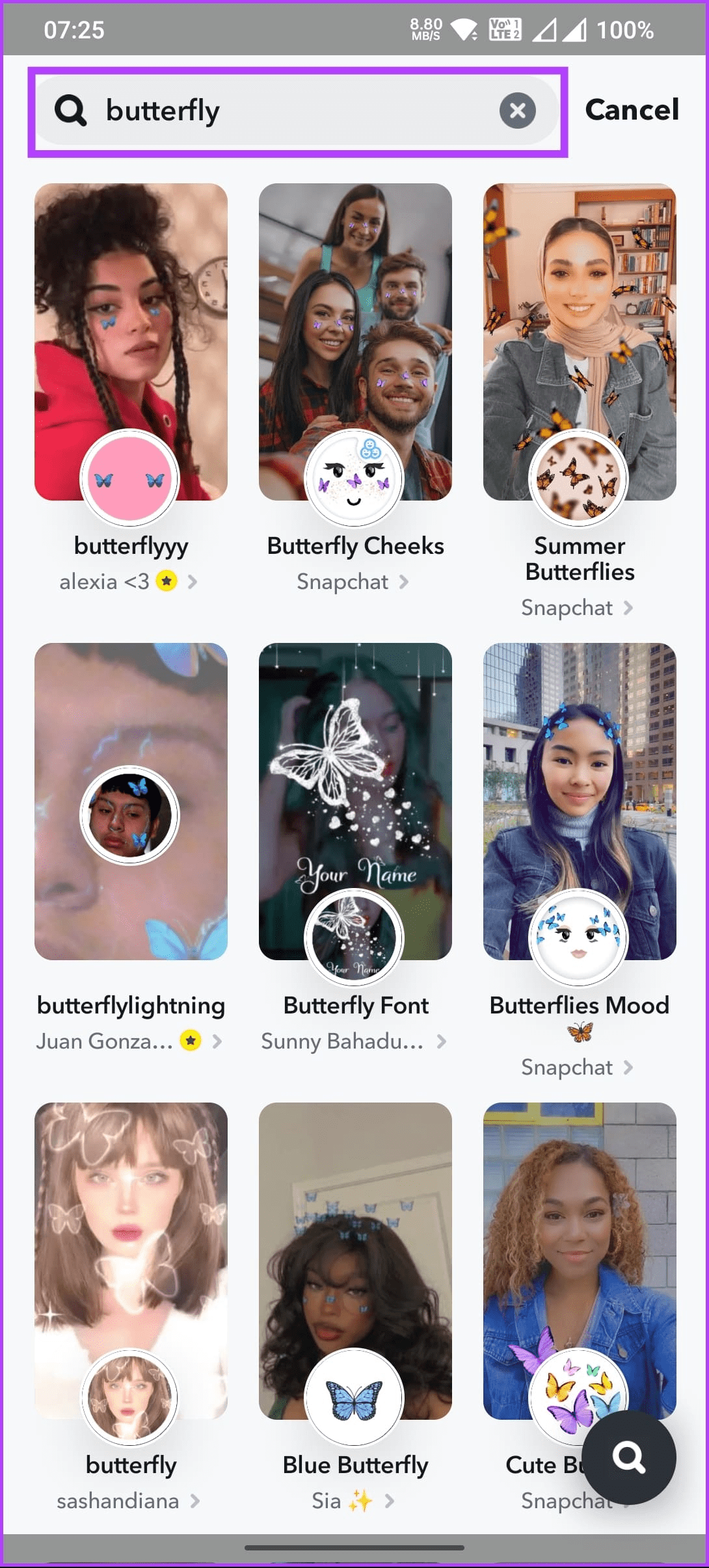
Step 3: Locate “Paper Butterflies”
In the search bar, input “Paper Butterflies” to find the sought-after lens. Designed by user jp pirie, this lens adds a magical touch to your photos and videos.
Step 4: Unlock and Enjoy
Tap on the “Paper Butterflies” lens, and you’re ready to capture mesmerizing photos and videos. This action unlocks the lens, making it available in the quick filters access panel for future use.
Step 5: Favorite the Lens
For ease of access, consider marking the Butterflies Lens as a Favorite. This action ensures its prominence at the top of your Snapchat Lens and Filter store under the Favorites tab.
Alternative Method: Using Snapcode
For those seeking a more direct approach, the Snapcode method offers a swift unlocking process.
Step 1: Open Snapchat Camera
Initiate the Snapchat app and switch to the rear camera. This setting is crucial for scanning the Snapcode.
Step 2: Scan the Snapcode
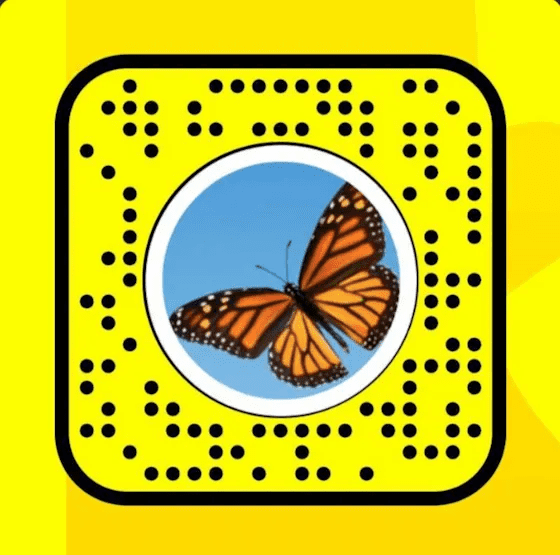
Below is the Snapcode for the Butterflies Lens. Aim your camera at it and prepare for instant access.
Step 3: Tap and Unlock
Once the Snapcode is detected, a message will appear at the screen’s bottom. Tap on this notification, and the Butterflies Lens is immediately unlocked for your enjoyment.
Accessing Lens from Stories and Snaps
Snapchat also allows users to unlock lenses through interactions with stories and snaps.
From a Friend’s Snap
If a friend sends a snap using the Butterflies Lens, look for the “Try Lens” button beneath the snap. Tapping this will instantly enable you to use the lens.
From a Story
When encountering a story utilizing this filter, tap the filter icon in the top left corner of the story. This action grants immediate access to the lens.
Conclusion: Enhancing Your Snapchat Experience
The Butterflies Lens on Snapchat offers a simple yet captivating way to enhance your social media presence. Whether you prefer the direct method of using the Snapcode or enjoy exploring the lens store, unlocking this feature is straightforward and rewarding.
Remember, Snapchat is more than just filters and lenses. If you encounter other issues, like resetting your password or learning to pin someone on Snapchat, we have dedicated guides for these topics too. Explore, engage, and elevate your Snapchat experience with ease and creativity!


