


Firefox 157 began rolling out on September 29 with a refreshed interface and the return of Compact Mode. Mozilla also published a high-impact security advisory for the release. The update combines a visible design change with browser maintenance that matters even to users who are comfortable with the previous layout.
The sensible update question has two parts: what changes in daily use, and what needs checking on a managed device? The announcement and the administrator notes answer different parts of that question.
Compact Mode gives more space to the page
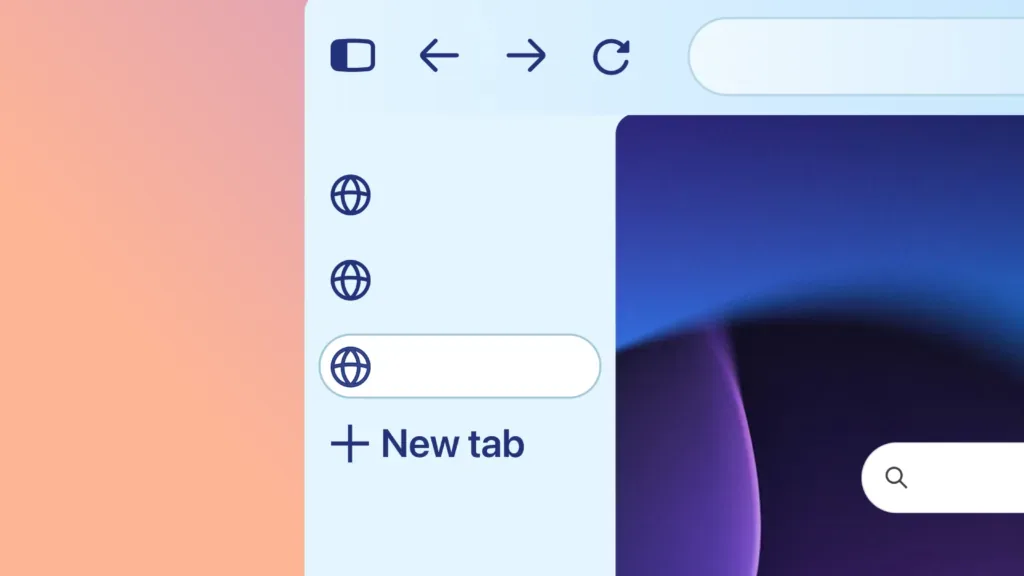
Mozilla says Compact Mode reduces tab and toolbar height, with an automatic compact option for smaller screens. The redesign also changes icons, colors and themes and provides a dedicated area for pinned New Tab shortcuts. These are interface changes; the announcement’s performance assurance is a vendor statement, not an EyesTech benchmark.
On a small laptop, the useful test is straightforward: open the pages and tools you normally use, then check whether the layout leaves enough room for them. A narrower toolbar is helpful only if its controls remain easy to find. Screen space and interaction effort are separate trade-offs.
The advisory deserves its own attention
Mozilla’s advisory lists high-impact issues including sandbox escapes and memory-safety problems in several components. It identifies Firefox 157 as the fixed release. A listed vulnerability does not establish that it was exploited against a particular user, and the advisory alone is not evidence of exploitation in the wild.
Use the update route for your installation. For a Mozilla desktop installation, Help → About Firefox normally checks and downloads an update, followed by a restart when required. A Linux distribution package should be updated through that distribution’s software tools; a Microsoft Store installation uses Store updates. Mozilla’s update instructions distinguish these paths. Open About Firefox afterward to verify the version actually running.
A sandbox escape concerns a boundary intended to contain code. Memory-safety flaws concern how a component accesses memory. Their presence in an advisory does not mean merely visiting any page compromises a machine, or that every listed issue has the same exploit chain. The practical action is to install the applicable fixed release and verify it, rather than infer an incident from the patch list.
Managed installations have policy changes to check
Mozilla’s enterprise notes describe clearer errors when a policy only partly applies, a repair for multiple homepage URLs and improved handling of an invalid MIME-type entry. They also document a speech-recognition control and the end of the ESR 140 support line with this release. Check the applicable ESR version rather than assuming desktop and ESR version numbers match.
An administrator can use a small representative group to check homepage configuration, file handlers and policy reporting before expanding deployment. Include the extensions and authentication flows actually used at work. These checks are more informative than opening an empty browser window and declaring the update compatible.
Verify the policy that reached the browser
Open about:policies on a managed installation and inspect the active policy values and any reported errors. Mozilla also exposes enterprise-policy information through its Troubleshooting Information page. Compare the displayed values with what the deployment intended to set. A configuration file existing on disk is weaker evidence than the browser reporting that the relevant policy is active.
For the multiple-homepage repair, launch a fresh window and check the intended URLs. For a file-handler change, use a representative file from the workflow. For speech-recognition restrictions, inspect the applicable policy and test the permitted behavior. Record the browser channel and version with a failure report so a desktop result is not silently applied to an ESR deployment.
Security maintenance also differs from controlling data collection. EyesTech’s connected-car privacy analysis explains the recipient side of that distinction: an encrypted, patched connection can still deliver information to a party whose use you want to scrutinize. Updating Firefox fixes the vulnerabilities in this advisory; it does not by itself settle every privacy choice made by a website.
Treat the redesign and patching as separate decisions
Users may need time to settle on a preferred theme or density. Security maintenance should have a defined update path while those preferences are evaluated. Keep any rollout exception specific to an observed compatibility problem, with a person responsible for resolving it.
Firefox 157’s visible story is customization. Its operational story is whether the updated browser and its policies are actually running on the machines that need them.