
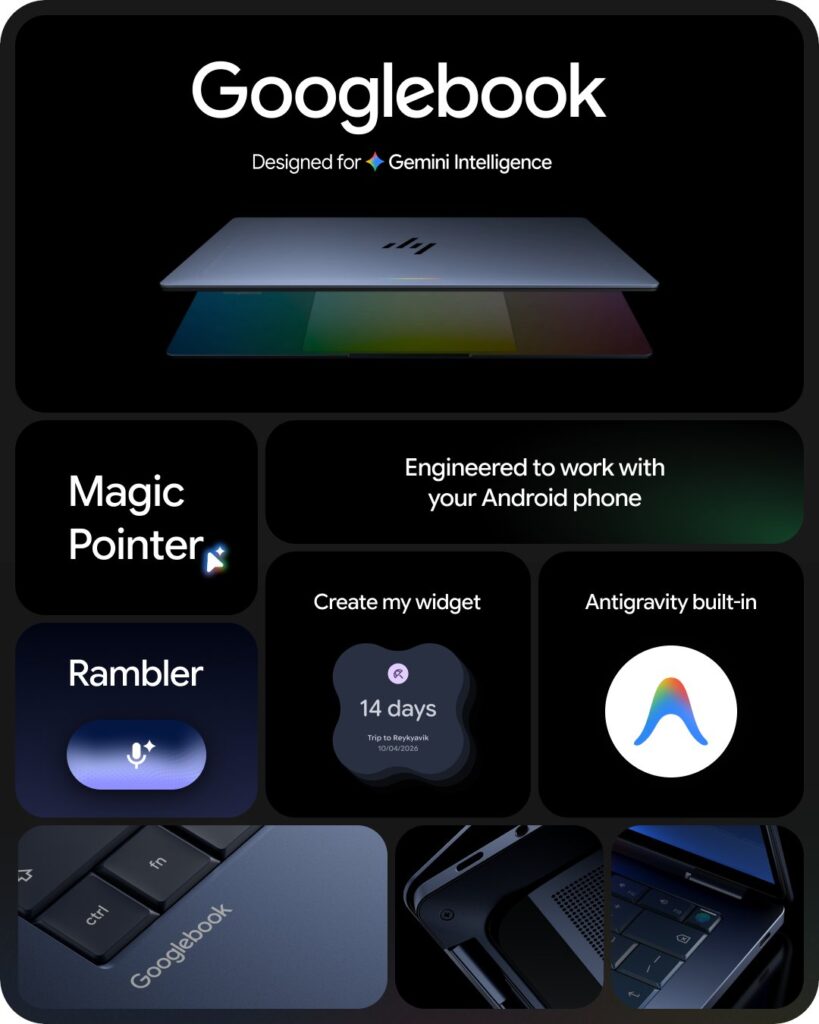

Google launched Googlebook on September 21, 2026 — a certified PC platform starting at $899, shipping from October 4, with OEM partners Acer, ASUS, Dell, HP, and Lenovo. Every model mandates 45+ TOPS NPUs, 16GB LPDDR5X RAM, and up to 14 hours battery. The OS fuses Android’s native stack with ChromeOS’s desktop shell, eliminating the ARCVM virtualization layer so Android apps run as first-class citizens. On-device Gemini powers three headline features: Magic Pointer (wiggle cursor → instant contextual AI over anything on screen), Rambler (speech-to-structured text with real-time filler-word removal and multilingual code-switching), and Create My Widget (natural language → live desktop widgets built on RemoteCompose). Developers get a full pKVM-isolated Linux terminal with root access, Docker, and native support for Antigravity, Claude Code, and Codex CLIs.
Fourteen Years of Plastic Nightmares End at $899
Google’s laptop story has been a masterclass in self-sabotage. The Chromebook Pixel arrived in 2013 — $1,299, Gorilla Glass lid, beautiful 2560×1700 display — then vanished. Every other Chromebook for the next decade competed to be cheaper, lighter on specs, and more disposable than the last. The result: a category permanently associated with school districts, 4GB RAM, and eMMC flash that rattles web tabs into single-digit seconds.
Sameer Samat, President of Google’s Android Ecosystem, had a different read. In his framing, Android shouldn’t be treated as an operating system anymore — it should be an intelligence system that understands intent and coordinates tasks across all of your devices. That reframe demanded hardware Google could stand behind. So Googlebook is, first and foremost, a certification program — a hard minimum that every machine must clear before it earns the name.
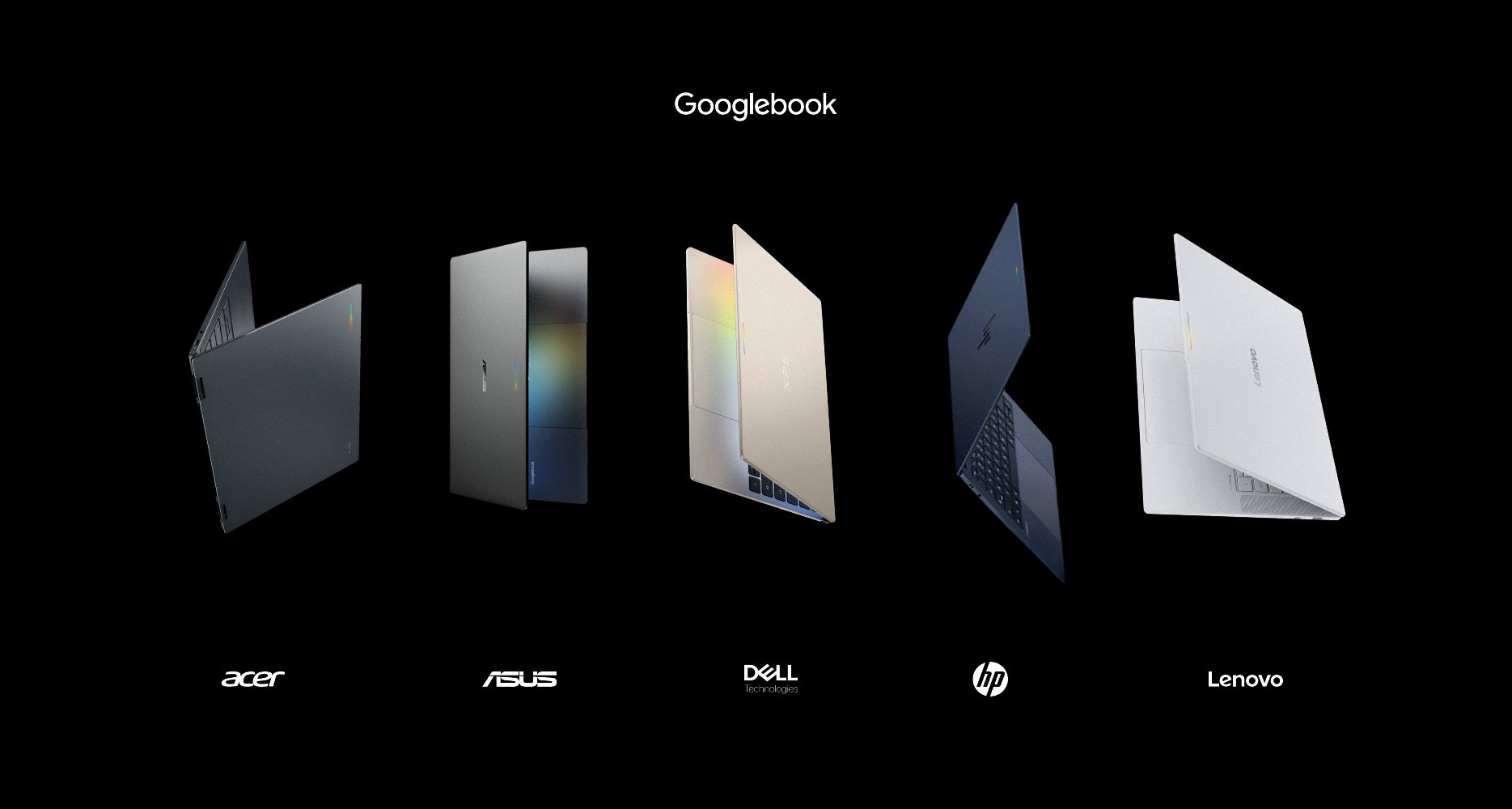
The five launch partners — Acer, ASUS, Dell Technologies, HP, and Lenovo — each built distinct industrial form factors within Google’s mandated specification envelope. No flimsy plastic, and no 4GB configurations that collapse under modern local developer compute. No fan noise at idle.
Magic Pointer: Wiggle Your Cursor, Invoke Gemini on Literally Anything
Magic Pointer is the interaction paradigm that separates Googlebook from everything else shipping in 2026. Not a sidebar. Not a keyboard shortcut to a chat window. You wiggle your cursor — a short shake motion, the same gesture most people already make subconsciously when they lose track of the pointer — and Gemini inspects whatever is directly beneath it.
Rambler: The Voice Dictation That Understands You’re Human
Every voice-to-text system since Dragon NaturallySpeaking has had the same fundamental problem: it transcribes what you say, not what you mean. Humans don’t speak in polished prose. We restart sentences, self-correct mid-clause, switch languages when we think more naturally in another, and litter every pause with *”um”*, *”like”*, and *”you know.”*
Rambler — a Gemini Nano feature integrated directly into Gboard on Googlebook — doesn’t transcribe. It edits in real time.
Three capabilities that no previous mobile dictation shipped:
1. Real-time filler removal. Rambler strips *”um”*, *”ah”*, *”like”*, *”you know”* before they hit the text field. You never see them. You don’t need to clean up afterward.
2. Intent-resolved self-correction. Say *”Let’s schedule the sync for 3 PM… actually make it 2 PM”* and Rambler outputs *”Let’s schedule the sync for 2 PM.”* It identifies the correction intent and applies it — rather than dumping both times into the text.
3. Multilingual code-switching. If you naturally switch between English and Hindi (or other supported pairs) mid-sentence, Rambler detects the language transition without requiring you to toggle a mode. The model handles it continuously.
Rambler also accepts structural voice commands inline — *”add a bullet,”* *”make this a numbered list,”* *”insert a header here”* — without breaking the dictation flow. Everything runs on-device; audio is processed temporarily and not retained.
Create My Widget: Natural Language Turns Into a Live Desktop Dashboard
The third Gemini Intelligence feature is less dramatic to describe and more surprising to use. Create My Widget takes a plain-language request and constructs a fully functional, theme-adaptive desktop widget — without any code, without any app store, without any configuration wizard.
The widgets are not glorified shortcuts. They’re built on Android’s RemoteCompose framework, which means they’re resizable, Material 3 adaptive (they match your system theme), and capable of pulling live data. They can cross-reference Gmail, Google Calendar, real-time web feeds, and third-party integrations — and they persist on your desktop canvas as live panels, not static text.
The pKVM Linux Shell: Every Developer Agent Runs Without a Safety Net
Chrome’s old Crostini Linux was always a compromise — a Debian container sharing the host kernel, with restricted hardware access and security properties that made serious workloads uncomfortable. The Googlebook Linux terminal runs on pKVM, a hardware-enforced hypervisor with Level 5 security certification. The Linux VM gets genuine hardware memory isolation from the Android host. Root is real root.
Frequently Asked Questions
Googlebook vs. Chromebook: What actually changed in the OS?
Previous Chromebooks ran Android apps inside ARCVM — a virtual machine using crosvm, with Android as a guest on the ChromeOS Linux kernel. On Googlebook, Android’s ART runtime is the primary OS foundation. ChromeOS contributes the desktop shell and security architecture, but Android apps run natively as first-class citizens, not as guests inside a VM.
What is the launch price and where can I buy one?
Starting at $899 USD (AU$2,299 in Australia). Pre-orders opened September 21, 2026, with units shipping from October 4, 2026. Every purchase includes a 12-month Google AI Pro subscription and bundled cloud storage.
Which OEM makes which Googlebook model?
Five partners — Acer, ASUS, Dell Technologies, HP, and Lenovo — each produce distinct form factors (convertibles, ultrabooks, enterprise-grade carbon-fiber machines) within Google’s certified hardware envelope. Individual model specs vary; all are mandated to meet the 45+ TOPS NPU, 16GB RAM, and touch display floors.
How exactly does the Magic Pointer wiggle work?
You shake or wiggle the mouse cursor — a deliberate but brief motion. Googlebook detects the gesture, captures the Accessibility Node tree and pixel buffer of the element beneath the cursor, and sends both to on-device Gemini Nano for analysis. Sensitivity is user-adjustable. The Meta + g keyboard shortcut is available as an alternative. No screenshot required, no manual copy-paste, no browser tab opened.
What languages does Rambler support for code-switching?
Rambler handles mid-sentence multilingual switching — verified for English/Hindi and other supported language pairs — processing all audio on-device via Gemini Nano (contrasted against Google’s cloud tier Gemini 3.8 Flash). The full list of supported language combinations is available at Google’s Gboard changelog.
What is pKVM and why does it matter for developers?
pKVM (protected KVM) is a hardware-enforced hypervisor that provides Level 5 security-certified memory isolation between the Linux developer environment and the Android host OS. Unlike the old Crostini container (which shared the host kernel), pKVM gives the Linux VM genuine hardware separation. Developers get real root access inside the VM while the Android OS remains uncompromised — auditable for enterprise, unrestricted for engineering.